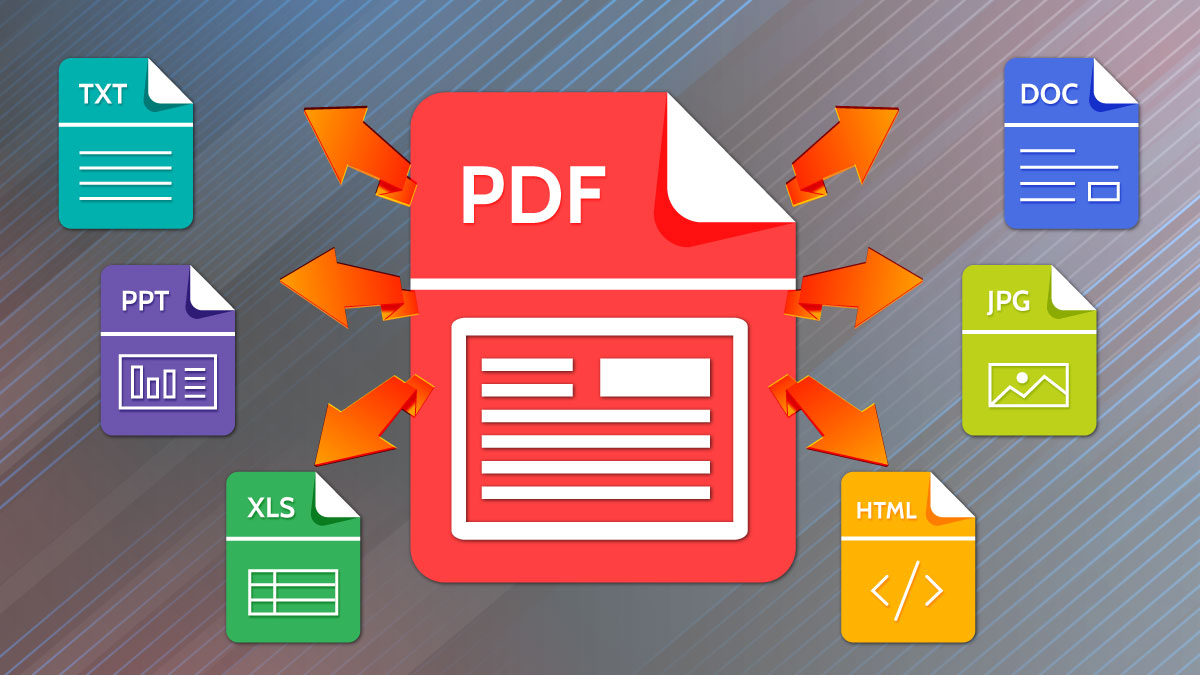
A web designer in Toronto finishes a client retainer agreement on a Friday afternoon. The PDF needs two signature pages stripped out before it goes to the client’s accountant. The designer types “merge pdf online free” into a search bar, picks the second result, drags the file in, downloads the cleaned version, and closes the tab. The whole transaction took ninety seconds. The file contained the client’s home address, banking details, and a clause about a confidential acquisition target.
That file is now sitting on a server somewhere. It is in backups. It might be in a queue waiting to be processed by a model. It will almost certainly never be deleted in any meaningful sense, regardless of what the privacy page promises. And the designer has no way of finding out what happened to it, because the legal mechanism to ask requires knowing which company actually operates the website, and the website’s “About” page lists only a Gmail address and a Cayman Islands LLC.
This is the routine economy of “free” online PDF tools, and almost nobody who uses them stops to do the math on what they are actually paying for.
The Hidden Math of “Free”
Running a PDF processing service is not free for the operator. A single Ghostscript invocation on a busy server consumes between 80 and 400 milliseconds of CPU time per page, depending on the document complexity. Add network ingress, network egress, temporary disk storage, and the supporting infrastructure for queueing and rate-limiting, and the marginal cost per processed document lands somewhere between a tenth of a cent and three cents. Multiply by the volume the larger players advertise — Smallpdf has cited figures in the range of 40 million monthly users, iLovePDF’s PR materials have mentioned 50 million, and PDF24 has been visible in the tens of millions for years — and you arrive at infrastructure bills that range from low six figures per month at the small end to mid-seven figures per month at the top.
Nobody pays those bills out of altruism. The cost is recovered through five mechanisms, almost always operating in combination.
Advertising on the response page. This is the most visible mechanism. The result page where you click “Download” is wrapped in display advertising sold through programmatic ad exchanges. The advertising request includes information about you that exchanges use to target — IP, user agent, referrer, sometimes hashed email if the site has captured one. The CPMs on file-tool sites are unusually high because the audience is in a moment of high attention and unusually willing to click “download” buttons.
Premium subscription upsell. Almost every major “free” PDF tool gates something behind a paywall — file size caps, OCR, batch processing, removal of watermarks, or simple things like editing the merged file later. The free tier exists to seed conversion to a paid plan that typically runs between $7 and $15 per month. Industry blended conversion rates from free file-tool usage to paid subscription run roughly half a percent to two percent. On twenty million monthly visitors, even half a percent is one hundred thousand subscribers.
Anonymous aggregated usage data. This is the gentlest of the data plays. The operator records metadata about your file — size, page count, presence of forms, presence of embedded images, language detected — and sells aggregated reports to industry analysts, financial services firms, and competitive intelligence companies. The individual file content is technically not what is being sold. The patterns of who is processing what, in which industries, at which volumes, in which countries, is.
Training data for machine learning. This is the part that operators rarely confirm and never confirm in writing. Document parsing and OCR models are notoriously hungry for diverse, real-world training data, and high-volume processing services sit on exactly the right corpus. Some operators explicitly opt files into training in their terms of service — phrasing like “perpetual, royalty-free license to use, reproduce, modify, distribute, and create derivative works of your content for the purpose of improving our services” appears in the fine print of multiple market leaders. Others say nothing, which is itself a category of answer.
Direct data sale and lead enrichment. A smaller and less reputable layer of the market goes further. They extract text from uploaded documents and run it through entity extraction to harvest names, phone numbers, email addresses, company names, and addresses. The resulting records get sold into the broader data broker economy, where they end up in B2B sales prospecting tools and, eventually, spam pipelines. There is no clean way to identify which “free” PDF sites do this — the practice is illegal under GDPR in the EU and a grey area under CCPA in California, so nobody advertises it — but the economics of it explain why some sites that have no visible ads and no paid tier nonetheless persist for years.
Add the five mechanisms together and the picture clarifies. A “free” PDF tool with significant traffic is one of three things: a venture-backed startup burning money on top-of-funnel acquisition, an ad-monetization business that happens to use file processing as bait, or a data business that uses the tool as a collection apparatus. Each of those models has a different relationship to your file, but none of them treat your file the way you would treat it.
Real-World Risk Examples
The abstract argument is easy to wave away. The concrete examples are harder.
In November 2022, security researcher Soufiane Tahiri documented that the OCR pipeline of a major PDF-to-Word conversion service was indexable through misconfigured backup buckets on Amazon S3. The bucket contained roughly nine million processed documents from a six-month window, including tax filings, medical records, and what appeared to be legal discovery materials. The service operator quietly secured the bucket, never issued a public disclosure, and never notified the people whose documents were exposed.
In 2020, the Italian data protection authority fined a translation service approximately €600,000 for retaining files that users had submitted for OCR processing beyond the period stated in the privacy policy. The fine was levied under GDPR Article 32 — security of processing — and the supporting decision noted that several of the retained files contained criminal-record extracts that users had submitted for translation as part of immigration paperwork. The retained files had been used, again, for “service improvement.”
Adobe’s 2013 breach, in which 153 million customer records were exposed, was not a PDF processing breach in the strict sense, but it is the right frame of reference for what happens when a company that touches sensitive documents at scale is compromised. The records included encrypted passwords protected with reversible ECB-mode encryption, password hints in plaintext, and customer payment information. The post-mortem reading is that even mature, well-resourced operators get breached. The notion that a four-person shop running a free PDF merger has better operational security is not credible.
For agencies operating in the US, the HIPAA implications of running client medical documents through a third-party “free” service are direct. Any tool that processes Protected Health Information on behalf of a covered entity is a Business Associate under the statute and must have a signed Business Associate Agreement in place. None of the free consumer PDF tools sign BAAs. Using one to merge a medical intake form for a healthcare client is a HIPAA violation, full stop, regardless of whether anyone notices.
The European parallel is even more direct. GDPR Article 28 requires a written processor agreement between the controller (the agency) and any processor (the tool operator). Article 32 requires technical and organizational measures appropriate to the risk. Article 44 restricts transfers of personal data outside the EEA without adequate safeguards. The typical free PDF service satisfies none of these — there is no agreement, no transparency about technical measures, and the servers are usually in jurisdictions that European regulators have specifically flagged as inadequate. The personal liability sits with the agency, not with the tool.
The 2026 Alternative
The technical situation has changed enough over the past five years that “send the file to a server” is no longer the only architectural option. A modern browser can do most of what a PDF processing server can do, locally, without sending the file anywhere.
The underlying primitives are well-established at this point. pdf-lib is a JavaScript library that can read, write, merge, split, rotate, and modify PDFs entirely in the browser; it is roughly 400 KB minified and handles the structural editing operations that account for the majority of PDF tool usage. PDF.js, originally a Firefox-internal renderer, has matured into a general-purpose rendering and inspection layer that runs at acceptable speed on any document a human would reasonably edit by hand. For higher-order tasks like compression of embedded images, OCR, or watermark removal, the same WebAssembly codecs that power native tools — MozJPEG, libwebp, Tesseract — have been packaged for browser use.
The storage side has caught up too. The browser’s IndexedDB API gives a page persistent local storage measured in gigabytes, so multi-step workflows that previously required server state can keep their working set on the user’s own machine. Service Workers allow a tool to install once and then function while completely offline. The Origin Private File System (OPFS), now supported across all major browsers, gives a page direct, fast access to files outside the user’s general file system — useful for the kind of workflows where someone is processing a folder of fifty PDFs in sequence.
The combination means a PDF tool can be architected so that the file is read into the browser’s memory, processed there, and written back to the user’s downloads folder, with the only network traffic being the initial page load. The operator never sees the file. The operator’s logs do not contain it. The operator’s backups do not contain it. The operator’s analytics see “user processed N pages” at most.
This is not a hypothetical. Multiple production tools already work this way, and the way to verify any specific claim is to open the browser’s developer tools, switch to the network panel, and watch what happens when you drop a file in. If the network panel stays quiet, the file is staying on your machine. If it does not, it is not.
For WordPress Workflows Specifically
The audience this matters most to, in practical terms, is the agency layer of the WordPress economy. A typical site management retainer involves a steady stream of client documents flowing through the agency: signed contracts to upload to a client portal, sales collateral to convert into web-friendly formats, scanned invoices that need to be turned into searchable text, internal briefs that need to be repackaged for client review. Almost every step of this workflow has been getting outsourced to free online tools for the past decade, often without any explicit policy about which tools are acceptable.
For an agency that handles even one client in a regulated industry — healthcare, finance, legal, education — that habit is a compliance liability that builds quietly until something forces a reckoning. The reckoning usually arrives in one of three forms: a client’s own audit catches it, a breach at the upstream tool drags the agency into a notification cascade, or a competitor uses it as ammunition in a new-business pitch.
The mitigation is not complicated. It comes in three layers.
First, default to browser-only tools for any document touching client data. Modern browser-based file tools like Convertilo handle PDF merging, splitting, compression, conversion, image processing, and metadata removal entirely client-side, with no upload step. The agency policy can be as simple as a one-line addition to the operations handbook: client documents are processed locally, never through services that require uploads.
Second, for tasks that genuinely do require a server — collaborative document review, large-scale OCR with custom dictionaries, batch processing of thousands of files — use a self-hosted instance of an open-source tool rather than a consumer SaaS. Stirling-PDF, OCRmyPDF, Gotenberg, and Paperless-ngx all run cleanly in a Docker container on a small VPS. The marginal cost is roughly five dollars a month per server. The compliance posture is dramatically cleaner because the data never leaves infrastructure the agency controls.
Third, when a third-party processor is unavoidable, restrict the choice to vendors that will sign a written processor agreement, are willing to commit to an EU-region deployment, and publish a SOC 2 Type II report. The list of such vendors is short, the prices are higher than zero, and the legal exposure is correspondingly lower. The premium is, in practical terms, the price of operating an agency that handles other people’s confidential information.
The Underrated Question
The closing point worth making is the one that almost never appears in privacy discussions, because it sounds rhetorical and is not. If a tool is free, and the operator is not visibly burning venture capital, and there is no obvious advertising mechanism wide enough to fund the infrastructure, the question is not “is this safe to use” — the question is “what is being extracted from me to fund this.” The answer is sometimes innocuous. It is rarely zero. And for any file you would not paste into a stranger’s email, the answer is worth knowing in advance rather than in retrospect.
The math has changed. The tools have changed. The expectation that processing a PDF requires handing it to a stranger is a habit from an earlier era of the web, and the cost of keeping the habit is increasingly paid by people who never agreed to pay it.