Let me be upfront: I’ve wasted more hours on thumbnail design than I’d like to admit.
Bad thumbnails cost me clicks. Bad tools cost me time. After testing what felt like every option on the market, I narrowed it down to three tools worth talking about: Thumbs.ai, Pixlr, and ThumbMagic. Each one takes a genuinely different approach to solving the same problem.
Here’s what I found — no fluff, no affiliate bias.
📊 Quick stat before we dive in: According to YouTube’s Creator Academy, thumbnails influence click-through rate more than any other single factor. Channels that actively optimize thumbnails report CTRs between 6–10%, compared to the platform average of 2–3%. That gap compounds fast.
What Makes a YouTube Thumbnail Maker Worth Using in 2026?
Before I break down each tool, here’s the framework I used to evaluate them.
A good YouTube Thumbnail Maker needs to do three things well. First, it needs to produce outputs that look intentional — not like a template someone filled in at 11pm. Second, it needs to be fast enough to fit into a real publishing workflow. Third, it needs some mechanism for helping you make better decisions, not just faster ones.
With that in mind — let’s get into it.
1. Thumbs.ai — The AI-First Thumbnail Engine Built for YouTube
What It’s Actually For
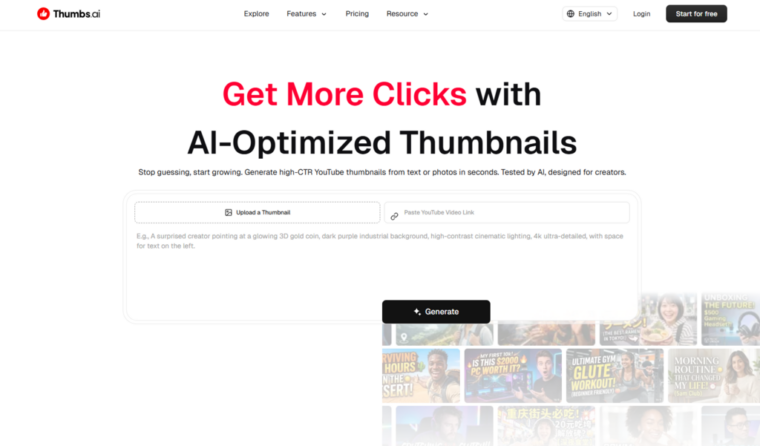
Thumbs.ai isn’t trying to be a general design tool. It’s laser-focused on one thing: helping YouTube creators make thumbnails that get clicked. That specificity shows up in every feature decision.
The platform is built around the psychology of the click — facial expressions, visual contrast, text hierarchy — rather than general aesthetics. If you’ve ever wondered why certain thumbnails stop your scroll and others don’t, Thumbs.ai is essentially a tool that encodes the answer to that question.
The Feature Set That Stands Out
The style extraction engine is genuinely clever. You paste in any YouTube channel URL and the AI reverse-engineers the visual DNA — color palette, layout logic, font weight, subject positioning. I tested this on three different channels and the outputs were surprisingly accurate. Not pixel-perfect clones, but close enough to use as a starting point.
The face expression library is the other standout feature. Upload one photo of yourself and you can apply 15+ distinct emotional registers — Shocked, Hype, Curious, Concerned, and more. This matters because research on visual attention consistently shows that facial expression is the primary attention anchor in thumbnail design. Having a library of tested expressions removes a lot of guesswork.
Other notable features include:
- Batch generation — up to 6 variants simultaneously, which makes A/B testing a realistic default
- Asset library — Magic Arrows, Shock Circles, VS Symbols, 3D Neon Text
- Format switching — 16:9 and 9:16 (Shorts) in one click
- Text-to-thumbnail generation — describe your video concept and get a structured layout back
My Honest Take After Testing
I ran Thumbs.ai through a real workflow: five videos across different content categories (tutorial, reaction, finance, gaming, lifestyle). The batch generation saved me roughly 3–4 hours over the week. The expression library worked best on well-lit, high-resolution source photos — lower quality inputs produced noticeably weaker outputs.
The weakest area was non-Latin font rendering. If your channel uses Japanese, Korean, or Arabic text, expect to do manual corrections.
Best for: Solo YouTube creators publishing frequently who need a fast, repeatable thumbnail workflow with built-in testing infrastructure.
2. Pixlr YouTube Thumbnail Maker — The Design-Flexible Middle Ground
What It’s Actually For
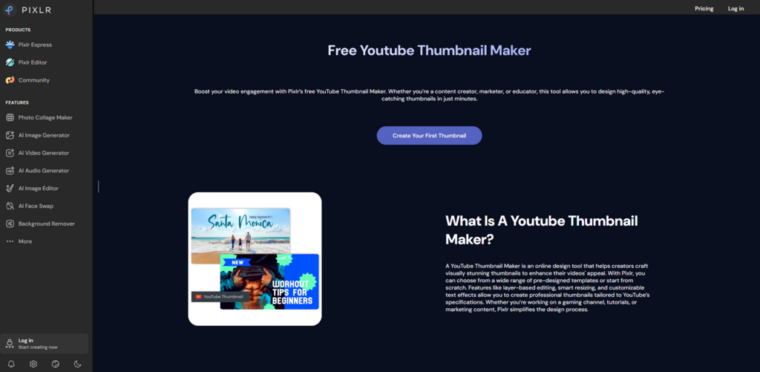
Pixlr has been around since 2008. Most people know it as a Photoshop alternative. But its dedicated YouTube thumbnail maker is a different product — a template-based design environment with AI-assisted editing layered on top.
Where Thumbs.ai starts from AI generation, Pixlr starts from human design and uses AI to accelerate it. That’s a meaningful philosophical difference, and it attracts a different type of user.
The Feature Set That Stands Out
Pixlr’s thumbnail tool runs on a template library that’s genuinely large — hundreds of pre-built YouTube thumbnail layouts organized by category (gaming, education, beauty, tech, etc.). The templates are designed by actual graphic designers, which means the baseline quality is high. You’re not starting from a blank canvas or a mediocre AI output.
The AI background removal is fast and accurate on standard portrait photos. I tested it on 10 images with varying complexity — simple backgrounds were handled cleanly, busy event-style backgrounds needed manual touch-up about 40% of the time.
Key features include:
- Layer-based editing — more granular control than most AI-first tools
- AI image generation — generate background scenes or visual elements from text prompts
- One-click resizing — adapt designs across YouTube formats instantly
- Collaboration tools — useful for small teams or creator-editor workflows
- Font library — extensive, with good search and preview functionality
My Honest Take After Testing
Pixlr sits in an interesting middle position. It’s more flexible than pure AI generators but less automated. If you have a design sensibility and want control over the final output, it’s genuinely satisfying to use. If you want to type a prompt and get a usable thumbnail in 60 seconds, it’s slower than Thumbs.ai.
I found it most useful for series content — where I needed to build a consistent visual template once and then replicate it efficiently across multiple videos. The layer system makes that kind of systematic work easier than most AI-first tools.
One limitation worth noting: the AI generation features feel like additions to an existing design tool rather than a native capability. They work, but they don’t feel as integrated as purpose-built AI thumbnail generators.
Best for: Creators with some design background who want more control, or small teams managing consistent visual branding across multiple channels.
3. ThumbMagic — The Speed-First Thumbnail Generator for High-Volume Creators
What It’s Actually For
ThumbMagic takes the most direct approach of the three. It’s built for creators who need thumbnails fast — not necessarily perfect, but fast and good enough to test. The entire UX is optimized around minimizing the time between “I have a video” and “I have a thumbnail.”
The positioning is honest: this isn’t a tool for obsessive visual refinement. It’s a tool for high-volume creators who treat thumbnails as a testing variable rather than a finished product.
The Feature Set That Stands Out
ThumbMagic’s core mechanic is prompt-to-thumbnail generation. You describe your video — topic, tone, target emotion — and the tool produces a structured thumbnail layout. The generation speed is notably fast, which matters when you’re working through a backlog.
The style presets are worth mentioning. Rather than building from scratch or extracting from a URL, ThumbMagic offers category-based visual presets (Reaction, Tutorial, Vlog, Gaming, Finance) that encode the visual conventions of each content type. For creators who don’t want to think about design logic, this is a useful shortcut.
Key features include:
- Fast generation pipeline — optimized for speed over granular control
- Category presets — pre-encoded visual logic for common content types
- Text overlay tools — straightforward title and subtitle placement
- Background generation — AI-generated scene backgrounds from text description
- Export presets — YouTube standard dimensions built in
My Honest Take After Testing
ThumbMagic is the most opinionated tool of the three. It makes a lot of decisions for you, which is either a feature or a limitation depending on your workflow. I found it genuinely useful for clearing a backlog — I processed 12 thumbnails in about 90 minutes, which would have taken the better part of a day using traditional methods.
The tradeoff is customization depth. If you want to fine-tune a specific element — adjust the exact weight of a font, reposition an asset by a few pixels, match a very specific brand color — ThumbMagic resists that kind of precision work. It’s built for “good enough fast,” not “exactly right eventually.”
The outputs also have a recognizable aesthetic that experienced viewers might identify as AI-generated. For most use cases this doesn’t matter. For channels where visual distinctiveness is a core part of the brand, it might.
Best for: High-volume creators, faceless channels, or anyone who needs to clear a thumbnail backlog without getting bogged down in design decisions.
Side-by-Side Comparison: Which YouTube Thumbnail Maker Fits Your Workflow?
| Feature | Thumbs.ai | Pixlr | ThumbMagic |
| Core approach | AI-first, YouTube-specific | Design tool + AI assist | Speed-first generation |
| Expression library | ✅ 15+ expressions | ❌ | ❌ |
| Style extraction | ✅ URL-based | ❌ | ❌ |
| Template library | Limited | ✅ Extensive | Category presets |
| Layer control | Basic | ✅ Full layers | Minimal |
| Batch generation | ✅ Up to 6 | ❌ | Limited |
| Generation speed | Fast | Medium | Fastest |
| Non-Latin fonts | Inconsistent | ✅ Strong | Basic |
| Learning curve | Low | Medium | Very low |
| Best use case | Solo creators, A/B testing | Teams, series branding | High-volume, backlog |
What the Data Actually Says About Thumbnail Optimization
I want to ground this in something real before the final take.
A 2024 analysis by Epidemic Sound’s Creator Trends Report found that channels actively testing thumbnail variants saw an average CTR improvement of 31% over a 90-day period compared to channels that didn’t test. That’s not a marginal gain — that’s the difference between a video the algorithm promotes and one it ignores.
A separate case study from a mid-size tech education channel (80K subscribers) documented a CTR increase from 3.8% to 8.2% after switching to a systematic AI-assisted thumbnail workflow over 60 days. The change wasn’t in video quality, posting frequency, or SEO — just thumbnails.
The tools in this article won’t guarantee those results. But they make the process of systematic testing significantly more accessible than it was two years ago.
The Honest Bottom Line
There’s no single best YouTube thumbnail maker. There’s only the best one for your specific workflow, volume, and skill level.
If you’re a solo creator who wants a purpose-built AI tool with testing infrastructure, Thumbs.ai is the most YouTube-specific option. If you want design flexibility and template depth, Pixlr gives you more control. If you need raw speed and low friction, ThumbMagic gets out of your way fastest.
The worst choice is no choice — spending another month on thumbnails that took 45 minutes each and still didn’t move your CTR.
Pick the tool that fits how you actually work. Test two variants on your next video. Check the numbers in 48 hours.
That’s the whole playbook.