WooCommerce is a great platform to run your online store. It lets you easily manage a fully functional website without worrying about technical issues. There are thousands of free and paid plugins available to help you scale your website, add new features and options, and more.
However, choosing the right plugins can make or break your success. From boosting conversions to simplifying order management, every plugin you install should add real value to your store’s workflow and customer experience.
Whether you’re trying to automate your marketing, enhance your checkout process, or make your store more visually appealing, the right set of plugins can save you time and drive more revenue. In this list, we’ve handpicked over 15 must-have WordPress plugins that can help you manage your store more efficiently and elevate its overall performance. Or you can manage all your websites from one platfrom with WPManagify.
These plugins cover everything from coupons and product recommendations to payment integrations and GDPR compliance. Each one is designed to solve a specific pain point most WooCommerce stores face daily.
Let’s get started.
15+ Best WordPress Plugins for Your WooCommerce Store
0. ShopEngine – All-in-One WooCommerce Solution
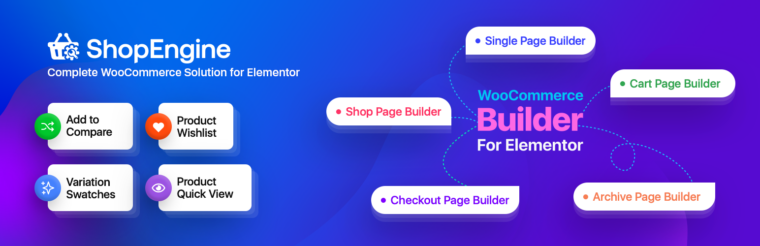
ShopEngine is an all-in-one WooCommerce builder that lets you create, customize, and optimize every part of your online store without writing a single line of code. From product pages and shop archives to checkout flows and customer account pages, you get complete control over how your store looks and performs.
With 70+ WooCommerce widgets and 20+ powerful modules, ShopEngine helps you solve common eCommerce challenges without relying on multiple plugins. Add features like wishlist, product comparison, quick view, variation swatches, flash sales, partial payments, and advanced checkout experiences to create a smoother shopping journey for your customers.
To help you launch faster, ShopEngine also includes 40+ professionally designed WooCommerce templates. Instead of building pages from scratch, you can start with ready-made layouts and customize them to match your brand, products, and conversion goals.
Everything is built to work together in one place. Rather than juggling different WooCommerce extensions, you can manage your store design and functionality from a single solution. The result is a faster workflow, fewer plugin conflicts, and a better shopping experience that helps turn more visitors into customers.
1. Smart Coupons for WooCommerce Coupons

This WooCommerce Coupons plugin takes WooCommerce’s default discount system to the next level. It helps store owners create and manage all types of coupons-from simple percentage discounts to advanced BOGO deals, gift vouchers, and store credits-right from their dashboard.
The plugin is designed to give you full control over your promotional campaigns. You can set up advanced coupon discounts, restrict coupons by product, category, or user role, and even generate coupons in bulk for seasonal sales. It also allows you to create pre-applied coupon links so customers can redeem offers instantly without entering codes.
What makes it particularly useful is how it streamlines customer engagement. You can reward loyalty, recover abandoned carts, and increase order value using smart coupons that run in the background. For anyone running a WooCommerce store, this plugin is a must-have for efficiently managing all discount-related operations while keeping your marketing flexible and effective.
2. Variation Swatches for WooCommerce

Variation Swatches for WooCommerce is a simple yet impactful plugin that improves the way customers interact with variable products in your store. Instead of the usual dropdowns, it lets you display product variations-like colors, sizes, and styles-as attractive image, color, or label swatches.
This visual upgrade makes product selection more intuitive and engaging. Shoppers can instantly see what each variation looks like, which helps reduce confusion and improve the shopping experience. You can easily customize the shape, size, and style of the swatches to match your store’s design.
The plugin is lightweight and built for performance, ensuring it won’t slow down your site even if you have multiple variations per product. It also integrates seamlessly with most WooCommerce themes, so you won’t need any coding to get started.
3. WebToffee WooCommerce Marketing Automation App

The WebToffee Automate Woo Marketing app helps you automate the kind of marketing tasks that usually take hours to manage manually. It’s built to streamline customer engagement through targeted, behavior-based campaigns that drive sales and retention.
With this app, you can automate everything from abandoned cart recovery and post-purchase follow-ups to win-back campaigns and review requests. It includes ready-made workflows, customizable email templates, and smart triggers that respond to customer actions, like when someone makes their first order or leaves without completing checkout.
The platform also supports popups, signup forms, and exit-intent messages to capture more leads and boost conversions. What makes it especially valuable is the built-in analytics, giving you insights into how your campaigns perform so you can fine-tune your strategy.
For WooCommerce store owners who want to maintain a personal touch without spending all day on marketing, this WooCommerce Marketing Automation App is a complete solution.
4. TrustPulse

TrustPulse brings the power of social proof right into your WooCommerce store. It displays real-time notifications of customer activity-like recent purchases, signups, or reviews-to build trust and encourage others to take action. This small addition can have a big impact on conversions by showing that people are actively engaging with your store.
You can customize these notifications to match your site’s branding and decide where and when they appear. The plugin tracks on-site activity automatically, making setup quick and straightforward. It even lets you target specific pages or products to highlight what’s trending or selling fast.
What’s particularly useful about TrustPulse is how it creates a sense of urgency and credibility without feeling intrusive. Visitors tend to feel more confident purchasing when they see others doing the same, and this plugin captures that psychological trigger perfectly.
5. WooCommerce PDF Invoices, Packing Slips and Credit Notes Plugin

The PDF Invoices & Packing Slips for WooCommerce plugin takes the hassle out of managing store documentation by automating invoice and packing slip generation. It automatically creates professional, ready-to-send PDFs for invoices, packing slips, and credit notes-right after an order is placed.
With this plugin, you can fully customize the look and feel of your documents using templates or by adding your brand logo, signature, and footer details. It supports automatic email attachments, ensuring customers receive their invoices instantly without manual follow-up. For store admins, it simplifies bulk printing and downloading, which is a huge time saver when handling multiple orders.
Another highlight is the multilingual and tax-compliant design, making it a reliable choice for global WooCommerce stores. Whether you need to comply with regional tax laws or just want to present clean, branded documents, this plugin offers the flexibility you need.
Overall, the WooCommerce PDF Invoices plugin gives your store a professional edge by automating order documentation, improving accuracy, and reducing repetitive admin work. It’s a must-have tool for any WooCommerce business handling moderate to high order volumes.
6. WooCommerce Gift Cards

WooCommerce Gift Cards makes it easy to sell both digital and physical gift cards directly through your WooCommerce store. It allows you to create and customize unlimited gift card products for various occasions—birthdays, holidays, anniversaries, or just simple store credits—giving customers a flexible and meaningful way to shop or gift.
The plugin lets buyers choose from predefined values or enter their own custom amount. They can send gift cards instantly via email or schedule them for future delivery. For physical gift cards, you can manage printing and shipping right from your dashboard. Store admins can also track balances, issue store credits, and process refunds as gift card amounts for a seamless experience.
What sets this gift card plugin apart is its ease of use and the way it integrates effortlessly into the checkout process. Customers can apply their gift cards like regular coupons.
7. Shiprocket Smart Cart
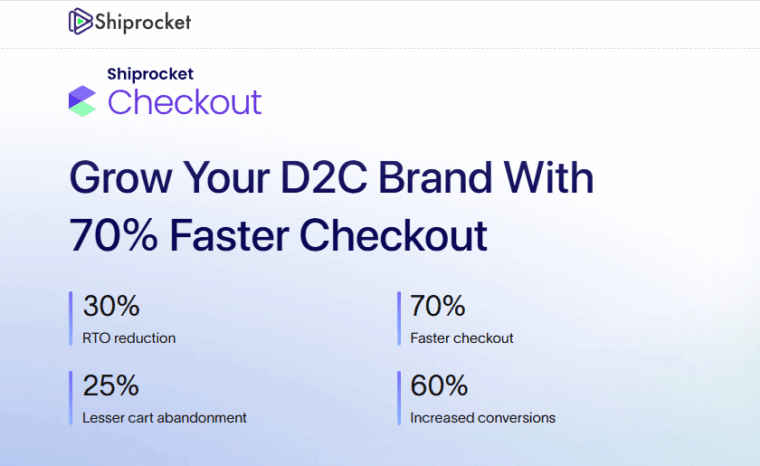
Shiprocket Smart Cart is a powerful Shopify app designed to turn your cart into a conversion engine that reduces abandonment and increases average order value, perfect for D2C brands and growing eCommerce stores.
At its core, Smart Cart transforms the traditional cart experience into an interactive sales tool that gently nudges customers toward higher-value purchases with features like dynamic progress bars, smart discounts, milestone-based freebies, and personalized upsell suggestions.
The cart drawer itself is fully customizable to match your brand’s look and feel including in-cart banners and announcement bars that highlight deals or limited-time offers without disrupting the checkout flow.
Smart Cart is built on an intelligent rule engine that maximizes average order value (AOV) while reducing friction in the shopping experience, helping more shoppers reach the checkout. Merchants see benefits like lower cart abandonments, higher conversion rates, and larger order sizes, all with a quick setup and smooth integration into Shopify.
Whether you’re just starting with Shopify or scaling up your D2C presence, Shiprocket Smart Cart helps turn passive carts into proactive revenue drivers without any complex coding or long implementation cycles.
8. MonsterInsights

MonsterInsights is one of the most trusted analytics plugins for WordPress, giving you a clear picture of how visitors interact with your eCommerce store. It connects Google Analytics to your site effortlessly and presents all essential data right within your WordPress dashboard-no coding or complex setup required.
The plugin tracks everything from user behavior and page performance to eCommerce-specific metrics like sales, conversion rates, and average order value. You can easily see which products drive the most revenue, which referral sources bring the best traffic, and how users move through your checkout process.
What’s particularly useful is its enhanced eCommerce tracking for WooCommerce. It offers in-depth insights into customer journeys-like product impressions, add-to-cart actions, and abandoned checkouts-helping you make data-driven decisions.
9. Product Feed for WooCommerce

Product feed Pro for Woocommerce helps you expand your store’s reach by automatically syncing your products with popular marketing and shopping platforms. It allows you to create and manage product feeds for Google Shopping, Facebook, Instagram, Bing, TikTok, and more-all from within your WooCommerce dashboard.
The plugin gives you full control over how your feed is structured. You can map product attributes, include custom fields, and even apply filters to exclude specific products. Its powerful scheduling feature ensures your feed stays up to date, reflecting changes in price, stock, or product information automatically.
What makes this WooCommerce product feed plugin so effective is how it simplifies multi-channel selling. You can generate unlimited feeds in multiple formats like XML, CSV, or TXT, making it easy to meet different platform requirements without manual edits.
10. Checkout Field Editor for WooCommerce

Checkout Field Editor for WooCommerce gives you full control over your store’s checkout form. With it, you can easily add, edit, or remove fields to capture exactly the information you need from customers. Whether you want to add a custom message field, reorder address sections, or hide unnecessary inputs, the plugin makes it all possible without touching code.
Its intuitive drag-and-drop interface keeps things simple, and every change can be previewed before going live. You can also display fields conditionally-showing or hiding them based on the products in the cart or user selections.
The best part about Checkout Field Editor for WooCommerce is how it improves the checkout experience while helping store owners collect better data. You can customize checkout forms for different products, customers, or regions, making your entire process feel more personal and optimized for conversion.
11. WooCommerce Product Recommendations

WooCommerce Product Recommendations helps you personalize your WooCommerce store with intelligent upsells and cross-sells that increase order value. It lets you display product suggestions based on user behavior, purchase history, or related items—just like what you’d see on major eCommerce sites.
You can create recommendation rules that appear across different touchpoints, such as product pages, cart pages, or the checkout screen. This helps customers discover complementary or trending products without feeling pushed. The product recommendations plugin’s analytics dashboard also tracks performance, letting you measure which recommendations are driving the most conversions.
12. Dokan

Dokan transforms your WooCommerce store into a fully functional multi-vendor marketplace. It lets multiple sellers register, create their own stores, and sell products-all under your site’s umbrella. If you’ve ever wanted to build a marketplace like Amazon or Etsy, this plugin is your go-to starting point.
Vendors can manage their products, shipping, and orders through a front-end dashboard, while you maintain control as the marketplace admin. Dokan also supports vendor commissions, store reviews, and withdrawal options, keeping transactions transparent and organized.
The flexibility of Dokan stands out the most. It integrates seamlessly with popular payment gateways, supports multiple product types, and offers compatibility with many other WooCommerce extensions. Whether you’re building a niche local marketplace or a global eCommerce platform, Dokan provides all the core tools to make it happen efficiently.
13. Sequential Order Numbers for WooCommerce

This custom order number plugin simplifies order management in WooCommerce by replacing random order IDs with a clear, sequential numbering system. It makes it easier for both store owners and customers to reference orders, reducing confusion during support and fulfillment.
You can create custom order formats using letters, numbers, dates, or other elements to suit your workflow. The plugin allows you to apply sequences to new or existing orders, define starting points, and control how often numbering resets-daily, monthly, or yearly.
Additional features of sequential order number plugin include adding prefixes or suffixes, reapplying numbering rules to past orders, and building structured order IDs that support accurate and organized record-keeping.
14. Product Import Export Plugin for WooCommerce

The WooCommerce Product Export Import plugin is a lifesaver for store owners managing large inventories. It lets you bulk import, export, or update products using simple CSV or XML files, perfect for store migrations, catalog updates, or backups.
The plugin supports every product type, including simple, variable, grouped, and external products. You can also manage product reviews, images, and custom metadata, ensuring a complete export every time. The intuitive interface makes it easy to map fields between your WooCommerce store and the file format you’re using, minimizing errors.
With this product import export plugin, tedious manual updates become a thing of the past. Whether you’re syncing data between multiple stores, updating prices seasonally, or backing up your catalog, this plugin gives you precision and flexibility. It’s ideal for store owners who value efficiency and accuracy in managing product data.
15. Mollie Payments for WooCommerce

Mollie Payments for WooCommerce brings a seamless and secure payment experience to your store. It supports a wide range of global and local payment methods, including credit cards, PayPal, Apple Pay, Klarna, iDEAL, and more-giving your customers the flexibility to pay however they prefer.
Setting it up is quick, and transactions are handled securely through Mollie’s payment gateway. The plugin also provides real-time payment status updates and automatic refunds directly from your WooCommerce dashboard, keeping everything centralized.
What stands out about Mollie Payments is its combination of simplicity and reliability. You can accept international payments without complicated integrations or security concerns. For businesses looking to expand globally and improve checkout conversions, this plugin is a dependable and user-friendly solution that just works.
16. GDPR Cookie Consent

This WordPress Cookie Consent plugin is a Google-certified CMP that helps your WooCommerce store stay compliant with data privacy laws like the GDPR, CCPA, and other international regulations. It allows you to display a clear cookie notice that informs visitors about cookie usage and lets them manage their consent preferences with ease.
This GDPR plugin scans and categorizes cookies on your website, ensuring transparency about what data is being collected. You can also set up cookie blocking until consent is given, keeping your store compliant without disrupting the user experience.
You can customize banner layouts, colors, and positions to match your website design, while multilingual support ensures it’s suitable for global stores. It even integrates with Google Consent Mode and other tracking tools to handle consent-based analytics smoothly.
17. WebYes Accessibility Tool

WebYes Accessibility Tool is designed to make your WordPress and WooCommerce store more inclusive by ensuring it’s accessible to all users, including those with disabilities. It adds a powerful accessibility toolbar to your website, allowing visitors to adjust font size, contrast, cursor size, and spacing to improve readability and navigation.
The plugin helps your store meet major accessibility standards such as WCAG 2.1 and ADA compliance, reducing the risk of accessibility-related legal issues. Unlike front-end accessibility widgets or overlays, it fixes issues directly at the code level to ensure genuine accessibility without affecting performance.
To support developers and testers, WebYes also offers a free Accessibility Checker Chrome Extension that lets you run instant WCAG-based accessibility tests on any webpage. The extension detects issues like missing alt text, poor heading structure, low contrast, and more while allowing you to inspect affected elements in real time, review alt texts, visualize focus order, and test both desktop and mobile layouts. It’s a simple, privacy-friendly tool that helps you evaluate accessibility quickly and prepare your site for compliance with guidelines such as WCAG, ADA, and EAA.
Conclusion
Running a successful eCommerce store isn’t just about great products; it’s about providing a seamless, secure, and engaging shopping experience. The plugins listed above cover all the essentials: from managing marketing and payments to enhancing design, compliance, and performance.
Whether you’re just starting out or looking to scale, these 15+ WordPress plugins give you everything you need to level up your eCommerce store, making it smarter, faster, and more customer-friendly.
If you find this article to be helpful, please drop your feedback in the comments section below.