From someone who’s actually gone through the trial-and-error so you don’t have to.
UGC-style ads are dominating paid social right now — and for good reason. According to Nielsen’s 2024 Trust in Advertising report, consumers are 2.4x more likely to trust content that looks user-generated over polished brand productions. The challenge has always been producing enough of it without burning through your budget or your creator roster.
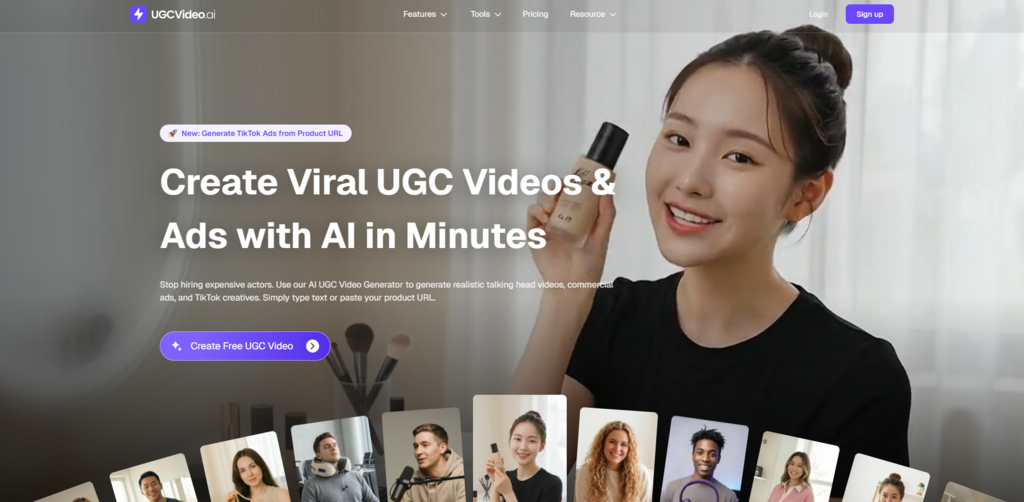
That’s where an AI UGC Video Generator changes the game entirely. This tutorial walks you through exactly how to use UGCVideo.ai to produce customized ad videos — from picking the right AI model to writing prompts that actually work.
Why the Model Selection Step Gets Underestimated
Most people jump straight to writing their script. That’s a mistake. The AI avatar you choose sets the entire tone of the video before a single word is spoken.
Think of it like casting. A 22-year-old avatar with casual styling reads completely differently than a 35-year-old in business casual — even if the script is identical. Your audience’s subconscious makes that judgment in the first two seconds.
Matching the Avatar to Your Audience
Here’s the framework I use when selecting a model on UGCVideo.ai:
Step 1 — Define your buyer persona first. Before opening the avatar library, write down three words that describe your ideal customer. “Young, fitness-focused, skeptical” is a very different brief than “professional, time-poor, results-driven.”
Step 2 — Filter by energy, not just appearance. UGCVideo.ai offers avatars with different presentation styles — some feel conversational and relaxed, others are more direct and authoritative. Match the energy to your product category. Skincare and wellness tend to perform better with warmer, slower-paced delivery. Tech and productivity tools often benefit from a more confident, faster cadence.
Step 3 — Consider the platform context. An avatar that works for a TikTok hook might feel too casual for a LinkedIn ad. Think about where this video will actually live before you finalize your choice.
Writing AI Prompts That Produce Real Results
This is where most tutorials go shallow. They tell you to “write a clear script.” That’s not enough. The prompt structure you feed into an AI UGC video tool determines everything — pacing, tone, emphasis, and whether the output feels human or robotic.
The Anatomy of a High-Performing UGC Script Prompt
After testing dozens of variations, here’s the structure that consistently produces the best output:
Hook line (0–3 seconds): Lead with a problem, not a product. “I used to spend three hours editing one video” outperforms “Introducing our new software” every single time. The hook should feel like something a real person would say — slightly imperfect, conversational, specific.
Credibility bridge (3–10 seconds): This is where you establish why the viewer should keep watching. A brief personal observation works better than a feature list. “I tried four different tools before this one actually stuck,” signals authenticity without sounding like an ad.
Payoff (10–25 seconds): Now you can introduce the product — but frame it as a discovery, not a pitch. “What changed for me was…” is a much softer and more effective entry point than “This product does X.”
Call to action (final 5 seconds): Keep it low-pressure. “Worth checking out if you’re dealing with the same thing” converts better in UGC-style content than aggressive CTAs. It matches the register of the format.
A Concrete Example
Here’s a real prompt structure I used for a productivity app campaign on UGCVideo.ai:
“You’re a busy freelancer talking to a friend. You’ve just discovered a tool that cuts your video production time in half. Start with the frustration you had before, mention one specific thing that surprised you about the tool, and end with a casual recommendation. Keep it under 30 seconds. No corporate language.”
The output from that prompt required minimal editing. The delivery felt natural. The pacing had variation. That’s what a well-structured prompt does — it gives the AI enough context to generate texture, not just words.
The Production Workflow: From Blank Page to Finished Ad
Stage One: Pre-Production (15 Minutes)
Before touching UGCVideo.ai, do this groundwork:
- Write your script in a notes app first, reading it aloud to check the rhythm
- Identify the single core message — one video, one idea, no exceptions
- Decide on video length based on platform: 15–30 seconds for TikTok/Reels, up to 60 seconds for YouTube pre-roll
Stage Two: Generation and Iteration (20–30 Minutes)
Step 1 — Upload your script. Paste your finalized script into UGCVideo.ai’s input field. Don’t paste a rough draft — the tool executes what you give it.
Step 2 — Select your avatar. Apply the framework from Section 1. If you’re unsure between two options, generate both. The comparison is usually immediately obvious.
Step 3 — Adjust pacing settings. If the platform offers delivery speed controls, lean slightly slower than feels natural. On-screen delivery reads faster than it sounds in your head.
Step 4 — Generate and review critically. Watch the output with the sound off first. Does the body language and framing feel right? Then watch with sound. Does the emphasis land on the right words?
Step 5 — Iterate on the script, not the settings. If the output feels flat, the problem is almost always the script. Rewrite the hook. Make the language more specific. Add a concrete detail. Then regenerate.
Stage Three: Post-Production Polish (10–15 Minutes)
AI-generated video rarely needs heavy editing — that’s part of the value. But a few small additions consistently improve performance:
- Add captions. Videos with captions see up to 40% higher completion rates on mobile, according to Verizon Media research.
- Trim the first half-second if there’s any avatar “settling in” moment at the start.
- Add a subtle background music track at low volume — it fills the audio space without competing with the voiceover.
Common Mistakes and How to Avoid Them
Mistake 1: Writing for the Eye, Not the Ear
Scripts that read well on paper often sound unnatural when spoken. Always read your script aloud before generating. If you stumble anywhere, rewrite that line.
Mistake 2: Trying to Say Too Much
The biggest performance killer in UGC-style video is information overload. One product, one benefit, one CTA. Everything else is noise that dilutes the message.
Mistake 3: Skipping the Testing Phase
A single video is a guess. Three variations tested against each other is data. Use UGCVideo.ai’s speed advantage — the whole point of an AI ugc video generator is that iteration is cheap. Test different hooks, different avatars, different CTAs. Let the audience tell you what works.
Final Thought
The brands and creators getting the most out of video generation AI right now aren’t the ones with the biggest budgets. They’re the ones who’ve learned to treat content production as a system — with clear inputs, fast iteration cycles, and decisions driven by performance data rather than gut feel.
UGCVideo.ai gives you the production speed. The frameworks above give you the creative foundation. Put them together, and you’re not just making videos faster — you’re making better ones.