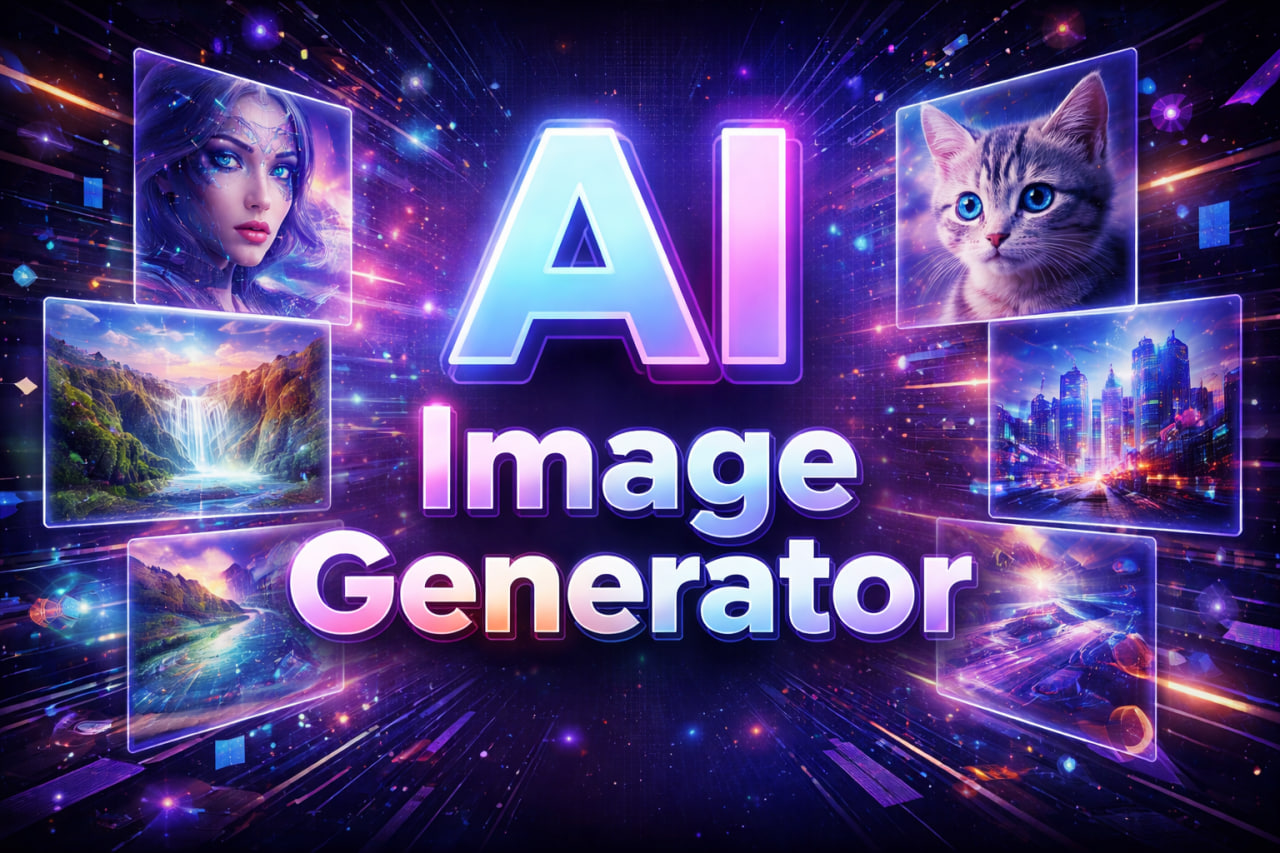
Picking the right AI image generator in 2026 is harder than it sounds. The market is packed with platforms, and each one leans into a different strength — resolution, editing tools, model catalog, price, or workflow speed. This guide walks through ten of the most useful options, with a clear look at features, pricing, pros and cons, and the type of user each one really fits.
The list covers everything from solo-creator tools to platforms built for production teams. Some focus on a single model family. Others give you a buffet of models under one interface. Every entry below was assessed against the same criteria so you can compare fairly.
How We Compare the Top AI Image Generator Platforms
To keep the review consistent, each tool was measured across the same six areas:
- Model access and resolution options — which engines are available and how sharp the output goes
- Feature depth — specialized tools, editing utilities, and creative controls
- Interface and speed — how quickly you go from idea to finished image
- Pricing and credit value — cost per image and how flexible the plans are
- Commercial rights — whether generated work can be used for business use
- Best-fit user — who actually benefits most from the platform
TL;DR: Top 10 AI Image Generator Platforms at a Glance
| # | Platform | Best For | Starting Paid Price | Standout Strength |
| 1 | Nano Banana Bingo | Nano Banana model family users | $19.9/mo | Native 4K + character consistency |
| 2 | Chat Image | GPT Image 2 + Nano Banana in one place | $14.9/mo | Specialized AI image toolkits |
| 3 | Kling AI | Cinematic storytelling | $6.99/mo | Native 2K/4K, Image Series Mode |
| 4 | DeepAI | Quick, no-signup generation | $9.99/mo | Public-domain rights + API |
| 5 | Manus | Images inside research and slides | $17/mo | Cross-tool workflow |
| 6 | PicLumen | Brand and product visuals | $8.99/mo | Multi-model catalog |
| 7 | EaseMate AI | Study + work in one app | $5.7/mo | Multi-model + editing tools |
| 8 | Canva | Social media and non-designers | $144/yr | Magic Media inside the editor |
| 9 | NoteGPT | Students and note-takers | $9/mo | Free unlimited basic use |
| 10 | Creen AI | Wide model catalog on mobile + web | $7.5/mo | Midjourney, DALL·E 3, FLUX, SD |
10 Best AI Image Generator Platforms Reviewed for 2026
1. Nano Banana Bingo
What Is Nano Banana Bingo
Nano Banana Bingo is a browser-based AI image generator platform focused entirely on the Nano Banana model family. It runs in a single-page workspace with no installs, no plugins, and no local GPU required. The platform is built for creators who want fast turnarounds and high-fidelity output without touching a heavy pro app.
Features
- Nano Banana 2, Nano Banana 2 Lite, and Nano Banana Pro supported in one place
- Nano Banana 2 and Nano Banana Pro deliver native 1K, 2K, and 4K output
- Clean interface built around conversational, plain-language editing
- Strong character consistency from a single reference photo
- Multi-image fusion for merging people, products, or scenes
- Accurate multilingual text rendering for posters, mockups, and logos
- Most generations finish in a few seconds
Pricing
| Plan | Annual Price (per month) | Monthly Credits |
| Free | $0 | 3 trial credits |
| Starter | $19.9 | 800 |
| Pro | $39.9 | 1,600 |
| Max | $69.9 | 4,000 |
| Ultra | $144.9 | 10,000 |
One-time credit packs are available for creators who need a top-up without changing tiers.
Pros and Cons
- Pros: native 4K on two of three models; strong character and text consistency; browser-only access; fast generation times.
- Cons: the credit system asks for a bit of planning on large batches; the 3-credit free trial is short if you want a long test drive.
Best for
Creators who work primarily with the Nano Banana family — AI influencer accounts, poster and mockup design, and storyboards where subject consistency matters.
2. Chat Image
What Is Chat Image
Chat Image is an AI image generator platform that gives direct access to GPT Image 2 and the Nano Banana 2 model without asking users to sign up for ChatGPT. It combines two flagship model lines with a suite of specialized AI image tools inside one dashboard.
Features
- GPT Image 2 available at 1K and 2K
- Nano Banana 2 available at 1K, 2K, and 4K
- Specialized AI image toolkits — AI Face Swap, AI Background Changer, AI Outfit Generator, AI Skin Smoother, AI Outpainting
- Utility tools: Clear Watermark, Clean Text, Remove Object
- Unified controls for aspect ratio, lighting, color, and composition
- Consistent handling of characters and styles across iterations
- No ChatGPT account needed to use GPT Image 2
Pricing
| Plan | Annual Price (per month) | Monthly Credits |
| Free | $0 | 3 trial credits |
| Basic | $14.9 | 300 |
| Professional | $29.9 | 650 |
Pros and Cons
- Pros: two flagship model families in one workspace; a deep set of specialized toolkits; skip the ChatGPT signup step for GPT Image 2 access.
- Cons: focused on two model families rather than a broad model catalog; monthly credits reset rather than roll over.
Best for
Marketers, freelance designers, and small creative teams who want GPT Image 2 quality plus editing utilities in one place.
3. Kling AI
What Is Kling AI
Kling AI is an AI image generator platform known for cinematic output through its IMAGE 3.0 Omni Model. It leans into film-style composition, lighting, and shot-scale control, which makes it a favorite for storyboards and concept art.
Features
- Native 2K and 4K output without post-process upscaling
- Cinematic prompt control: composition, lighting, tonal mood, shot scale
- Image Series Mode for connected images that share a subject
- Built-in image upscaling and watermark removal for subscribers
- Aperture-driven depth-of-field control
Pricing
- Basic: Free (66 trial credits, non-commercial)
- Standard: $6.99/mo — 660 credits, commercial use
- Pro: $25.99/mo — 3,000 credits
- Premier: $64.99/mo — 8,000 credits
- Ultra: $127.99/mo — 26,000 credits
Pros and Cons
- Pros: genuine cinematic feel; native high-res output; strong series consistency.
- Cons: free tier blocks commercial use; higher tiers are pricey for casual use.
Best for
Filmmakers, storyboard artists, and marketers producing narrative-driven visual campaigns.
4. DeepAI
What Is DeepAI
DeepAI is one of the longest-running AI image generator platforms, active since 2016. It skips signup for basic use and layers a Pro subscription on top of a pay-as-you-go wallet. That combination makes it a fast pick for quick tasks and developer projects.
Features
- Three model tiers: HD, Genius, and Super Genius (2K)
- 30+ artistic styles including Cyberpunk, Watercolor, and Photorealistic
- API access for building AI image generation into other apps
- 100% user rights on generated images, even on the free plan
- Multi-modal ecosystem: AI Video, AI Music, AI Chat, and a Photo Editor
Pricing
- Free: limited basic access
- Pro Monthly: $9.99/mo — 500 HD, 60 Genius, 10 Super Genius images
- Pro Yearly: $89.99/yr — same monthly allowance
- Pay-as-you-go: $0.01 per HD image, up to $0.25 per Super Genius 2K image
Pros and Cons
- Pros: no signup for basic use; developer-friendly API; broad commercial and public-domain rights.
- Cons: interface feels utilitarian; free tier locks out the better models.
Best for
Developers, hobbyists, and creators who need quick generations without account friction.
5. Manus
What Is Manus
Manus is a productivity-first AI platform that includes an AI image generator alongside research, slide, and website tools. Users can generate images and drop them straight into other Manus outputs without leaving the workspace.
Features
- Text-to-image with photorealistic and illustrated styles
- Fast generation aimed at business-grade output
- Direct handoff into Manus reports, presentations, and websites
- Commercial usage license on paid plans
- Streamlined three-step workflow: prompt, style, generate
Pricing
- Standard: $17/mo annual — 4,000 credits
- Customizable: $34/mo annual — 8,000 credits
- Extended: $167/mo annual — 40,000 credits + Free Cloud Computer
Pros and Cons
- Pros: great when images live inside larger documents; consistent 300 daily refresh credits across tiers.
- Cons: image generator is secondary to the research and slide tools; not built for artistic exploration.
Best for
Analysts, consultants, and content teams who want image generation embedded in reports and slide decks.
6. PicLumen
What Is PicLumen
PicLumen is a web-based AI image generator platform focused on branding, product design, and game assets. It groups several industry models into one interface and uses a «Lumens» credit system.
Features
- Access to Midjourney v6, DALL·E 3, FLUX.1, and Stable Diffusion (SDXL and SD 1.5)
- Text-to-image and image-to-image workflows
- Built-in AI Background Remover, Watermark Remover, and Super Resolution
- Relax Mode with unlimited generations on Pro and Elite plans
- Three-step workflow: prompt, model, generate
Pricing
| Plan | Annual (per month) | Monthly Lumens |
| Basic | Free | 100 daily |
| Lite | $8.99 | 600 |
| Standard | $18.99 | 2,000 |
| Pro | $37.49 | 5,000 |
| Elite | $134.19 | 20,000 |
Pros and Cons
- Pros: wide catalog under one login; Relax Mode is a good deal for high-volume users.
- Cons: free tier is capped to basic models; interface can feel dense at first.
Best for
Brand designers, game artists, and marketers who want several models without paying each vendor separately.
7. EaseMate AI
What Is EaseMate AI
EaseMate AI is a multi-tool AI assistant that bundles study, writing, and an AI image generator in one app. It integrates Midjourney, SDXL, DALL·E 3, Flux, and Kling for its image workflows.
Features
- Image-to-image transfer with style variation
- Prompt + image combined generation
- Background removal, watermark removal, and face swap tools
- Access to top-tier models on paid tiers
- Available on Web, Chrome extension, iOS, and Android
Pricing
- Basic: Free — 30 images/month
- Lite: $5.7/mo annual — 300 images/month
- Pro: $12.4/mo annual — 1,000 images/month
Pros and Cons
- Pros: cheap entry point; images bundled with chat and writing help.
- Cons: image generation is one feature among many; free tier is limited.
Best for
Students and knowledge workers who want writing, chat, and images from a single subscription.
8. Canva
What Is Canva
Canva is the well-known design platform whose AI image generator lives inside the editor as Magic Media. That placement matters — you can generate an image and drop it into a social post, deck, or video in the same click.
Features
- Magic Media text-to-image and text-to-video
- Style variety: Filmic, Watercolor, Photo, Dreamy, Anime
- Magic Edit, Magic Grab, Magic Expand for editing generated images
- One-click Magic Eraser and Background Remover
- Aspect ratio presets for social media and print
- Content safety measures built in
Pricing
- Free: 50 lifetime Magic Media uses
- Pro: $144/yr — 500 uses/month
- Teams: $250/yr for the first 3 users — 500 uses/month
Pros and Cons
- Pros: the tightest workflow between generation and finished design; friendly for non-designers.
- Cons: output quality trails specialist platforms; free tier has a hard lifetime cap.
Best for
Social media managers, small businesses, and teams already producing designs inside Canva.
9. NoteGPT
What Is NoteGPT
NoteGPT is an AI learning assistant that includes an AI image generator powered by GPT Image 2.0. It sits alongside video summaries, transcription, and mind mapping, so images are one output among several.
Features
- Free unlimited basic image use with no signup
- Three-step workflow: prompt, generate, download
- Commercial rights on both free and paid plans
- Fast generation focused on social and marketing use
- Bundled with note-taking, mind maps, and video summarization
Pricing
- Education: Free — 50 high-quality images/month
- Pro: $9/mo annual — 50 high-quality images/month
- Unlimited: $19.92/mo annual — 700 high-quality images/month
- Max: $69/mo annual — 2,500 high-quality images/month
Pros and Cons
- Pros: commercial rights even on the free tier; useful when images live next to summaries and notes.
- Cons: image quality is standard rather than premium; power users will outgrow it.
Best for
Students, researchers, and creators whose workflow starts with notes and video content.
10. Creen AI
What Is Creen AI
Creen AI is a multi-model AI image generator platform out of Hong Kong. It combines several leading engines behind one interface and ships as web, iOS, and Android apps.
Features
- Midjourney (v6.1 / v6.0), DALL·E 3, FLUX.1, Stable Diffusion 3.5 supported
- Dedicated models for anime, photorealism, and interior design
- Text-to-image and image-to-image workflows
- Background removal, watermark removal, super-resolution
- Privacy Mode for confidential projects
- Cross-platform access on Web, App Store, and Google Play
Pricing
- Free: 100 daily points
- PLUS: $7.5/mo annual — 3,000 credits
- PRO: $14.5/mo annual — 8,000 credits + 5% bonus
- MAX: $29.5/mo annual — 20,000 credits + 10% bonus
- ULTRA: $94.5/mo annual — 80,000 credits + 20% bonus
Pros and Cons
- Pros: wide model catalog; strong mobile support; generous free daily points.
- Cons: credits don’t roll over; annual pricing is where the real value sits.
Best for
Creators who want a broad model catalog available from both desktop and phone.
Final Take: Choosing the Right AI Image Generator in 2026
The right platform depends less on brand and more on how you actually work. If your day revolves around one model family and you want speed plus native 4K, Nano Banana Bingo is a strong pick. If you want GPT Image 2 access alongside a proper toolkit of specialized editors, Chat Image covers both bases without a ChatGPT account.
For cinematic storytelling, Kling AI still leads. If you’re a developer or need public-domain rights, DeepAI stays useful. Teams working inside slides and reports will feel at home in Manus, while brand and product designers get value from PicLumen’s model catalog.
Canva remains the fastest path from generation to a finished social post. NoteGPT wins for study-first creators, EaseMate AI for students juggling many tools, and Creen AI for anyone who wants Midjourney, DALL·E, and FLUX under one roof on mobile.